
Deployment
This is the end-to-end procedure to bring the whole stack up from nothing. It uses
Compose (Docker or Podman) and the *.wsw.local reverse-proxy hostnames. Each
step notes the screenshot that will illustrate it once the UI captures are taken —
the backlog lives in apps/docs/SCREENSHOTS.md.
Prerequisites
Section titled “Prerequisites”- Docker or Podman with Compose.
- A reverse proxy that reads
VIRTUAL_HOST(e.g. nginx-proxy) attached to an external network namedproxy-network. - A Cloudflare R2 bucket (or any S3-compatible bucket) and its credentials.
- Bun 1.3+ if you want to run workspace scripts on the host.
Step 1 — Create the external proxy network
Section titled “Step 1 — Create the external proxy network”The Compose file declares proxy-network as external: true, so it must exist
first:
docker network create proxy-network # or: podman network create proxy-networkStep 2 — Point *.wsw.local at your machine
Section titled “Step 2 — Point *.wsw.local at your machine”Add the proxy hostnames to your hosts file (or a local DNS wildcard) so the browser resolves them to the reverse proxy:
127.0.0.1 api.wsw.local portal.wsw.local demo.wsw.local demo-api.wsw.local127.0.0.1 adminer.wsw.local mailpit.wsw.localStep 3 — Configure environment per app
Section titled “Step 3 — Configure environment per app”Each app reads its own .env. The critical, easy-to-miss alignment is the
integration key shared between the wrapper and the demo backend.
apps/api/.env (essentials):
DATABASE_URL=postgres://wccloud:wccloud@postgres:5432/webclosterJWT_SECRET=<at-least-32-characters-of-secret>REDIS_URL=redis://redis:6379R2_ACCOUNT_ID=...R2_ACCESS_KEY_ID=...R2_SECRET_ACCESS_KEY=...R2_BUCKET_NAME=...R2_PUBLIC_URL=https://<public-bucket-domain> # optional, for public filesSCOPE_ENFORCEMENT=enforceapps/demo-api/.env:
INTEGRATION_API_KEY=<the demo integration key>Root shell / .env (consumed by the api service to seed the demo integration):
DEMO_INTEGRATION_API_KEY=<the SAME value as demo-api's INTEGRATION_API_KEY>Step 4 — Configure the R2 bucket
Section titled “Step 4 — Configure the R2 bucket”- Create the bucket named in
R2_BUCKET_NAME. - Create an R2 API token with object read/write on that bucket; use its values for
R2_ACCESS_KEY_ID/R2_SECRET_ACCESS_KEY/R2_ACCOUNT_ID. - For public files, expose a public bucket domain and set
R2_PUBLIC_URL. Leave it unset for a private-only bucket (private files are served via signed URLs).
Step 5 — Bring the stack up
Section titled “Step 5 — Bring the stack up”docker compose up -d # or: podman compose up -ddocker compose ps # verify every service is running/healthyThe api service auto-runs db:migrate then seed:demo on boot; demo-api
auto-runs seed:content. Both seed steps are idempotent and fault-tolerant.
A healthy stack looks like this (compose ps):
NAME STATUSpostgres Up (healthy)redis Upapi Upworker Upportal Updemo Updemo-api Updemo-mysql Up (healthy)nginx-proxy UpStep 6 — Verify migrations
Section titled “Step 6 — Verify migrations”If you want to run them explicitly (or re-check after a schema change):
docker compose exec -T api sh -c "cd /app/apps/api && bun run db:migrate"Expect the 0000–0008 chain applied (see
the migration chain).
Using 'pg' driver for database querying[✓] migrations applied successfully!Step 7 — Seed the super admin
Section titled “Step 7 — Seed the super admin”docker compose exec -T api sh -c "cd /app/apps/api && SUPER_ADMIN_EMAIL=you@example.com SUPER_ADMIN_PASSWORD='a-strong-password' bun run seed:admin"This is idempotent — re-running reconciles the admin account.
Step 8 — Health check
Section titled “Step 8 — Health check”curl -s http://api.wsw.local/api/v1/health# → { "status": "ok", ... }A healthy API returns:
{ "status": "ok", "env": "development", "timestamp": "…", "checks": { "db": "ok" } }Step 9 — Log into the portal
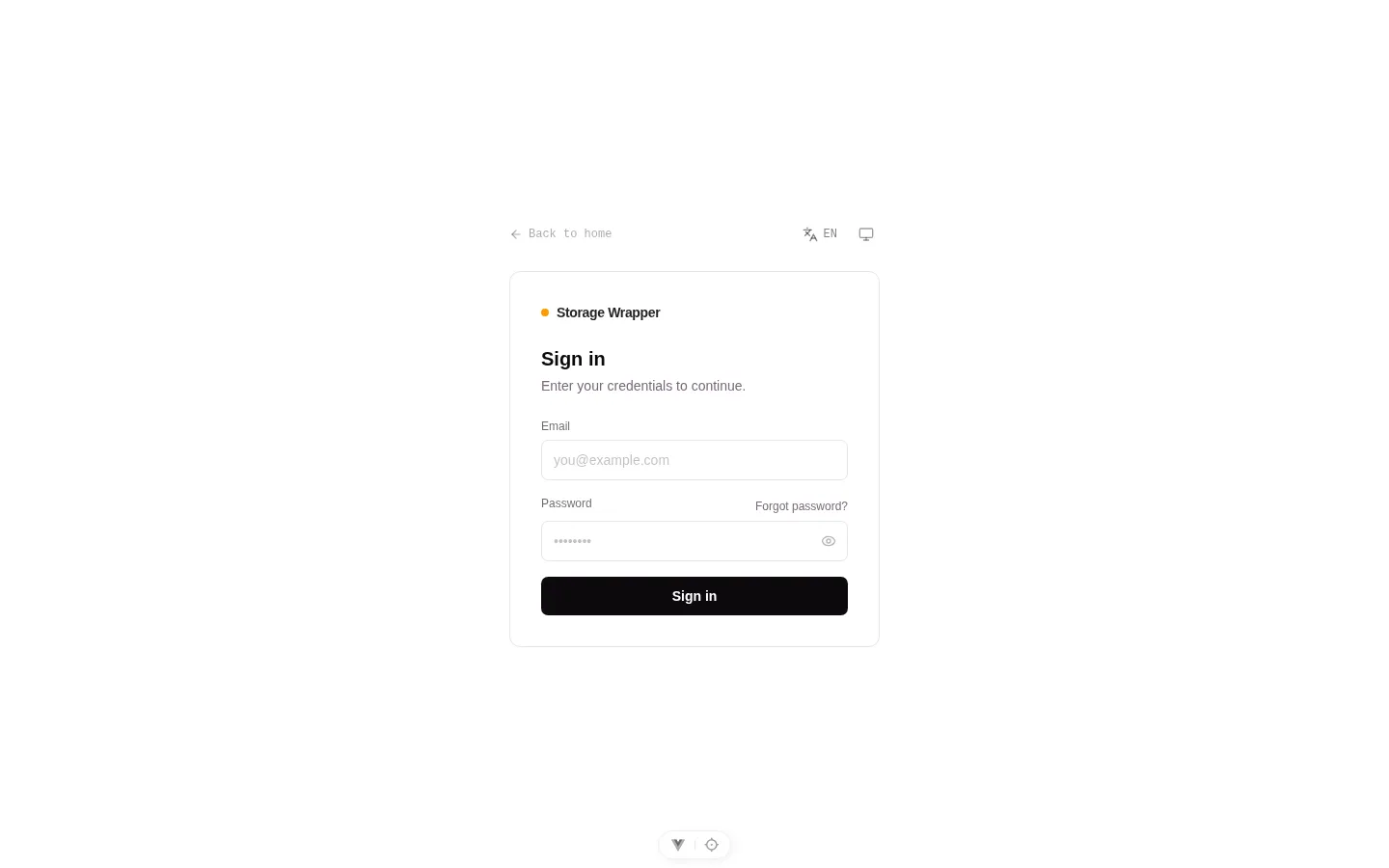
Section titled “Step 9 — Log into the portal”Open http://portal.wsw.local and sign in as the super admin from Step 7. From
here you create a project, mint its PROJECT_API_KEY (shown once), and configure
integrations, plans, and users.
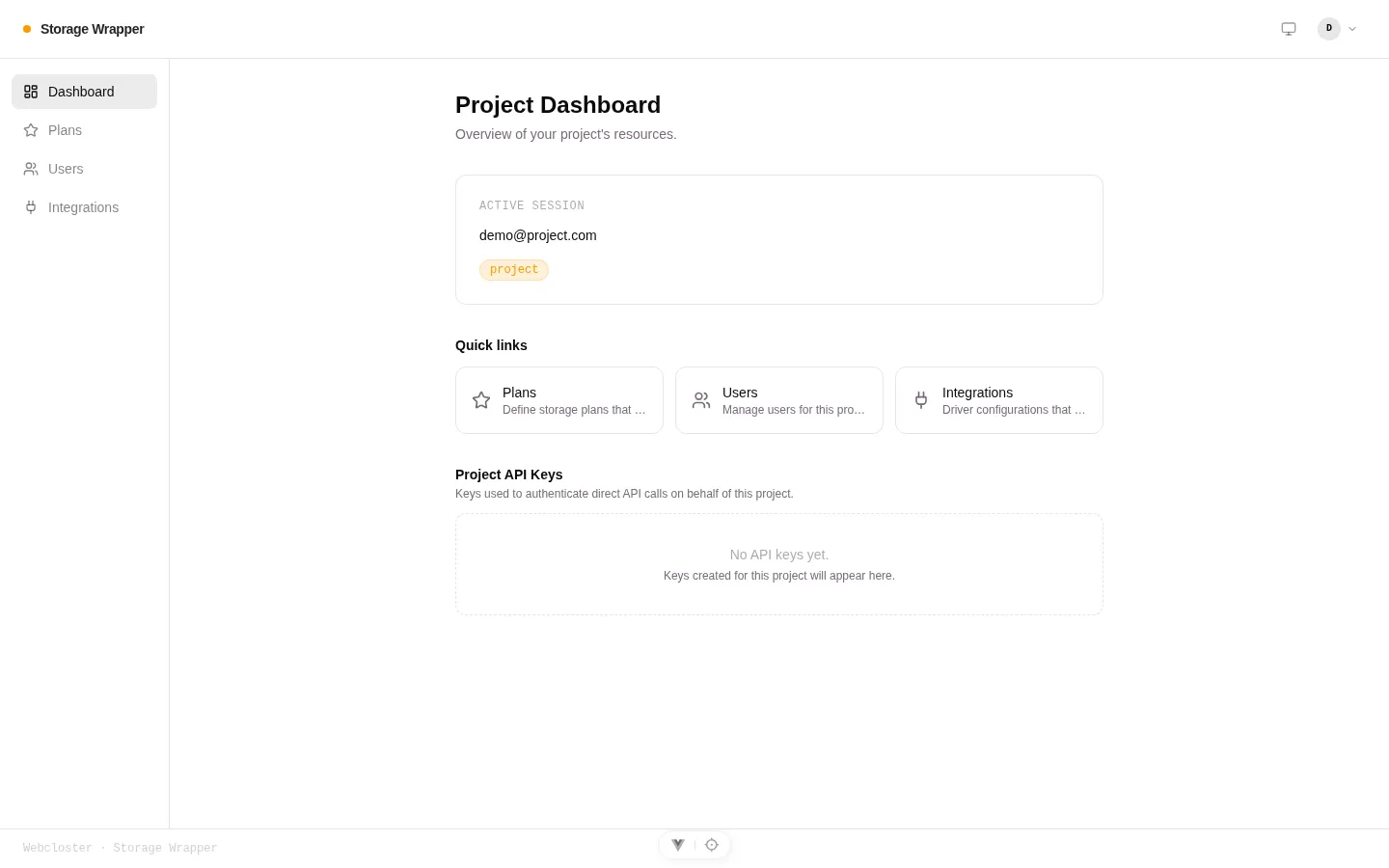
After signing in, the project dashboard shows the active session, quick links, and the project’s API keys:
Step 10 — Create an integration with scopes
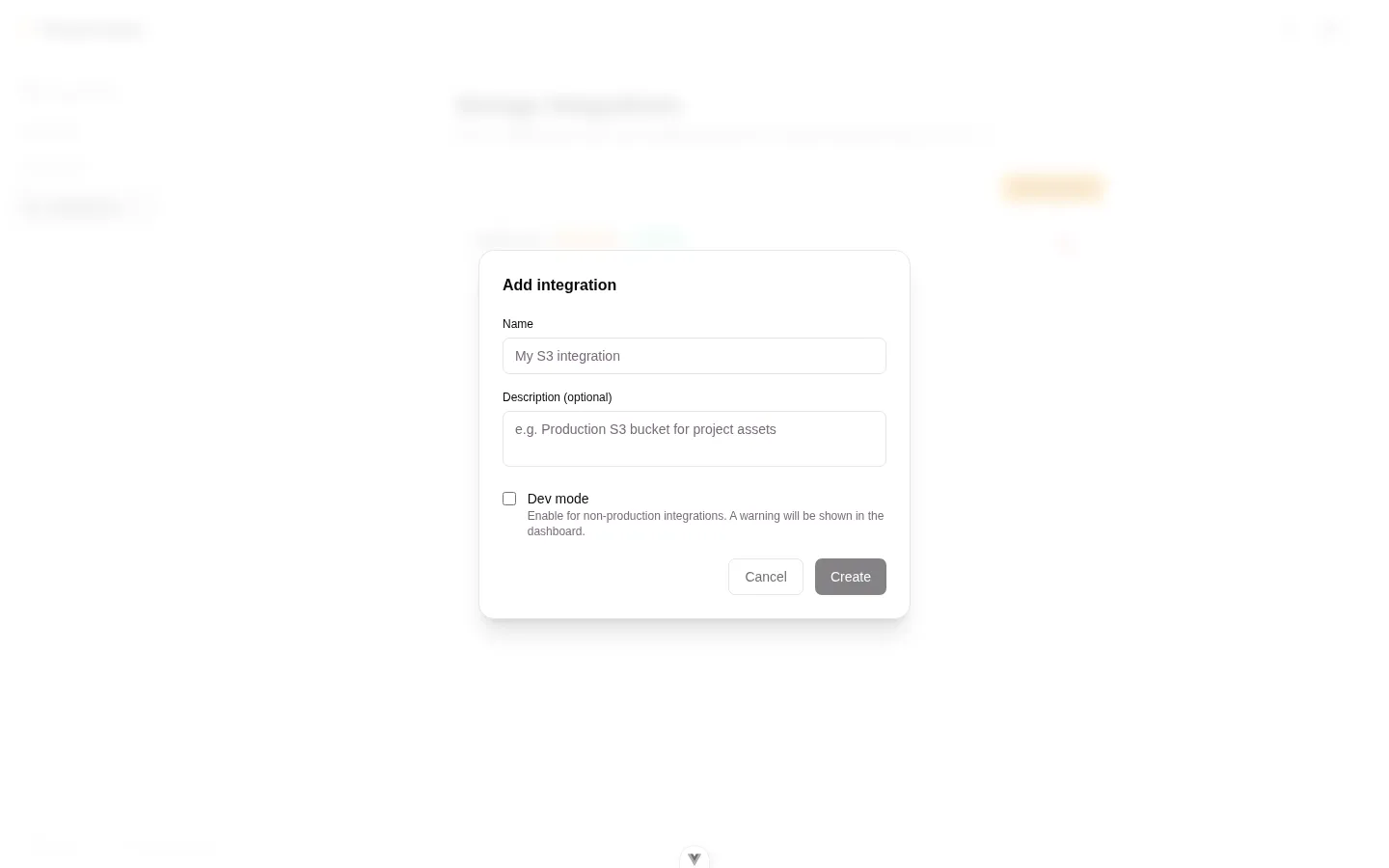
Section titled “Step 10 — Create an integration with scopes”Under a project, create an integration and declare its scopes (remember
SCOPE_ENFORCEMENT=enforce). The INTEGRATION_API_KEY is revealed once — store it
in the consuming app’s environment.
Step 11 — Verify the Rutas (spaces) surface
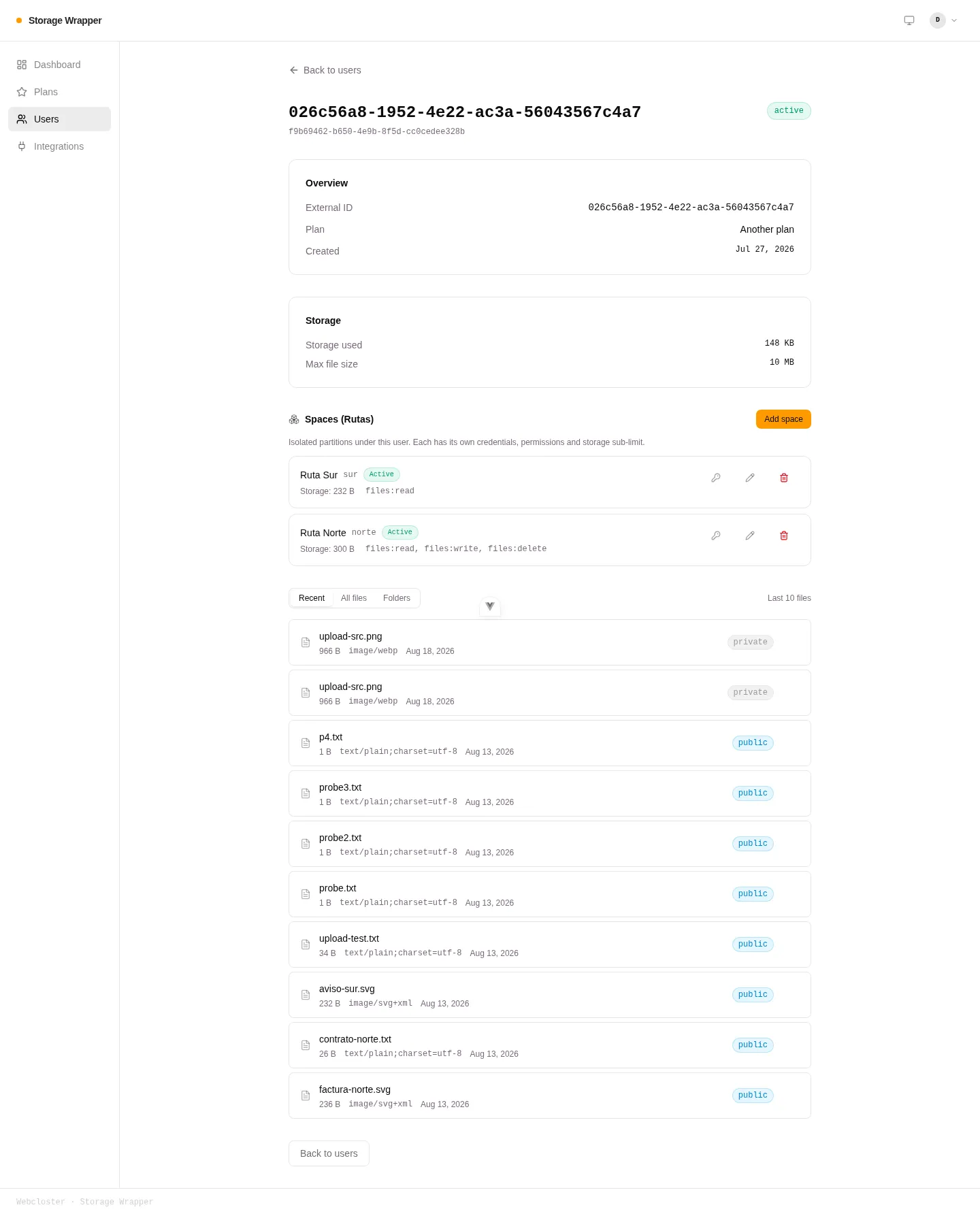
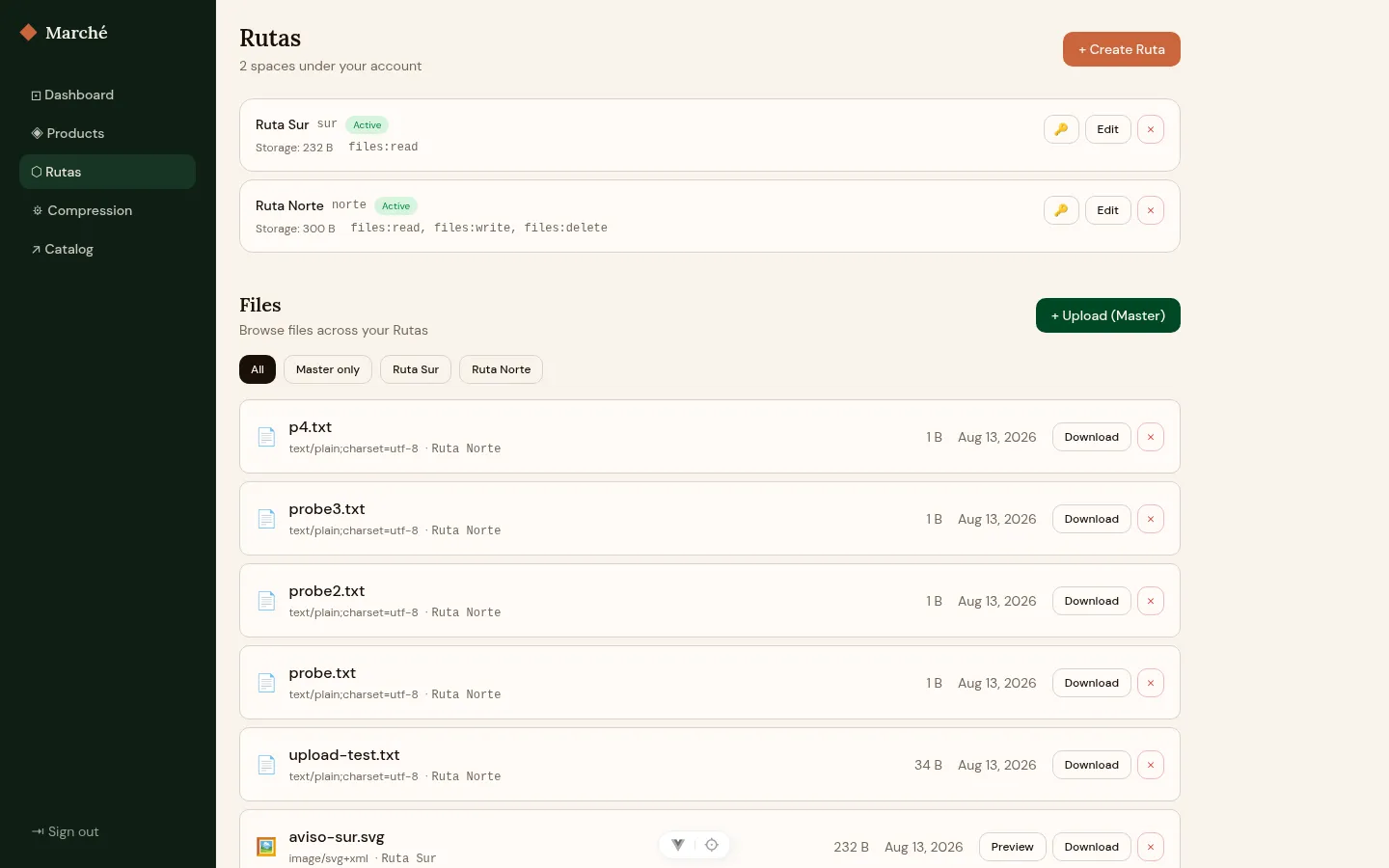
Section titled “Step 11 — Verify the Rutas (spaces) surface”Open a user’s detail page in the portal. The Spaces (Rutas) section lets the Master create, edit (scopes + sub-limit + active), rotate the password, and delete Rutas.
Step 12 — Exercise the demo (space login + isolation)
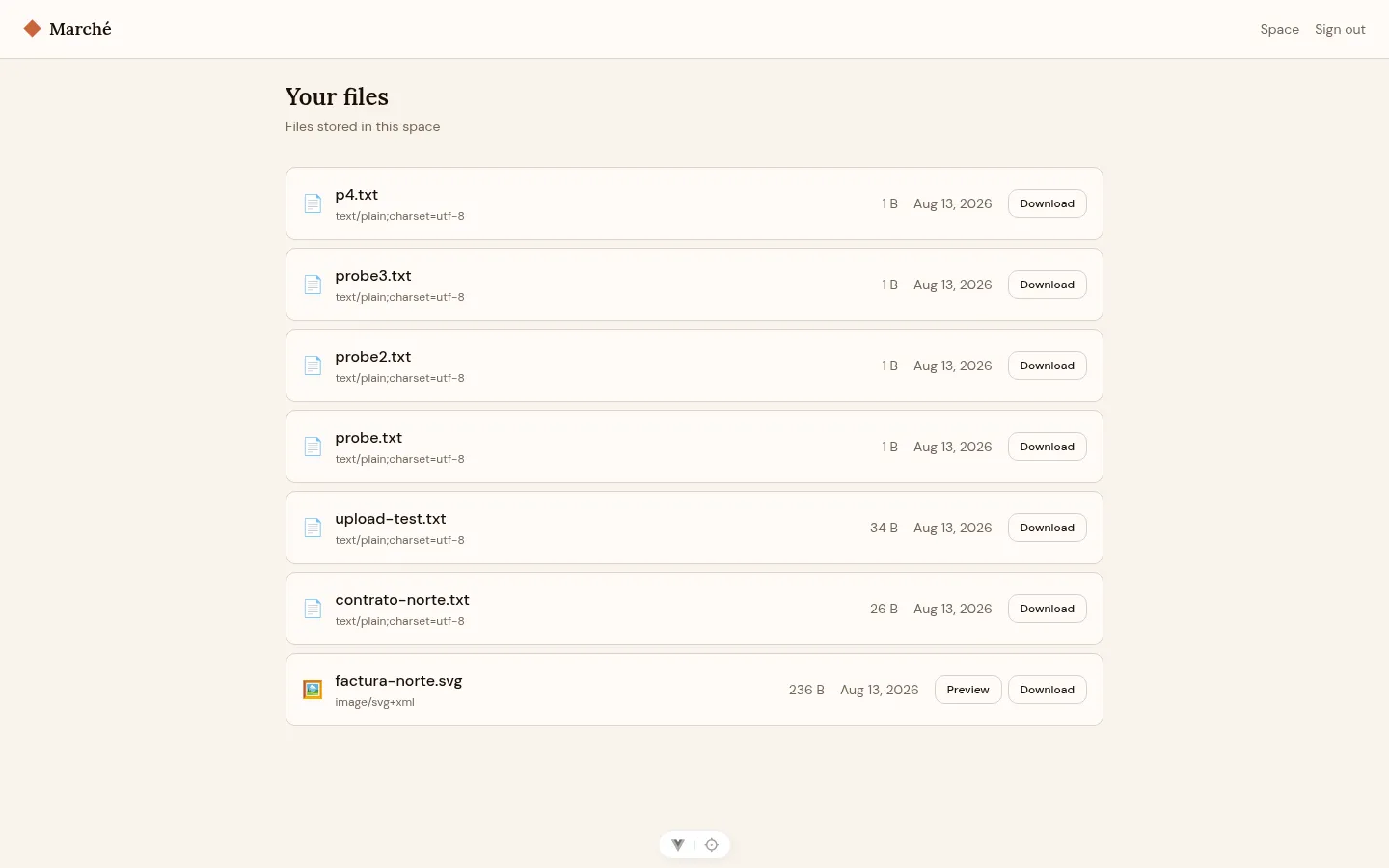
Section titled “Step 12 — Exercise the demo (space login + isolation)”Open http://demo.wsw.local, then sign into a Ruta to confirm isolation: the space
view lists only that Ruta’s files, not the Master-only files.
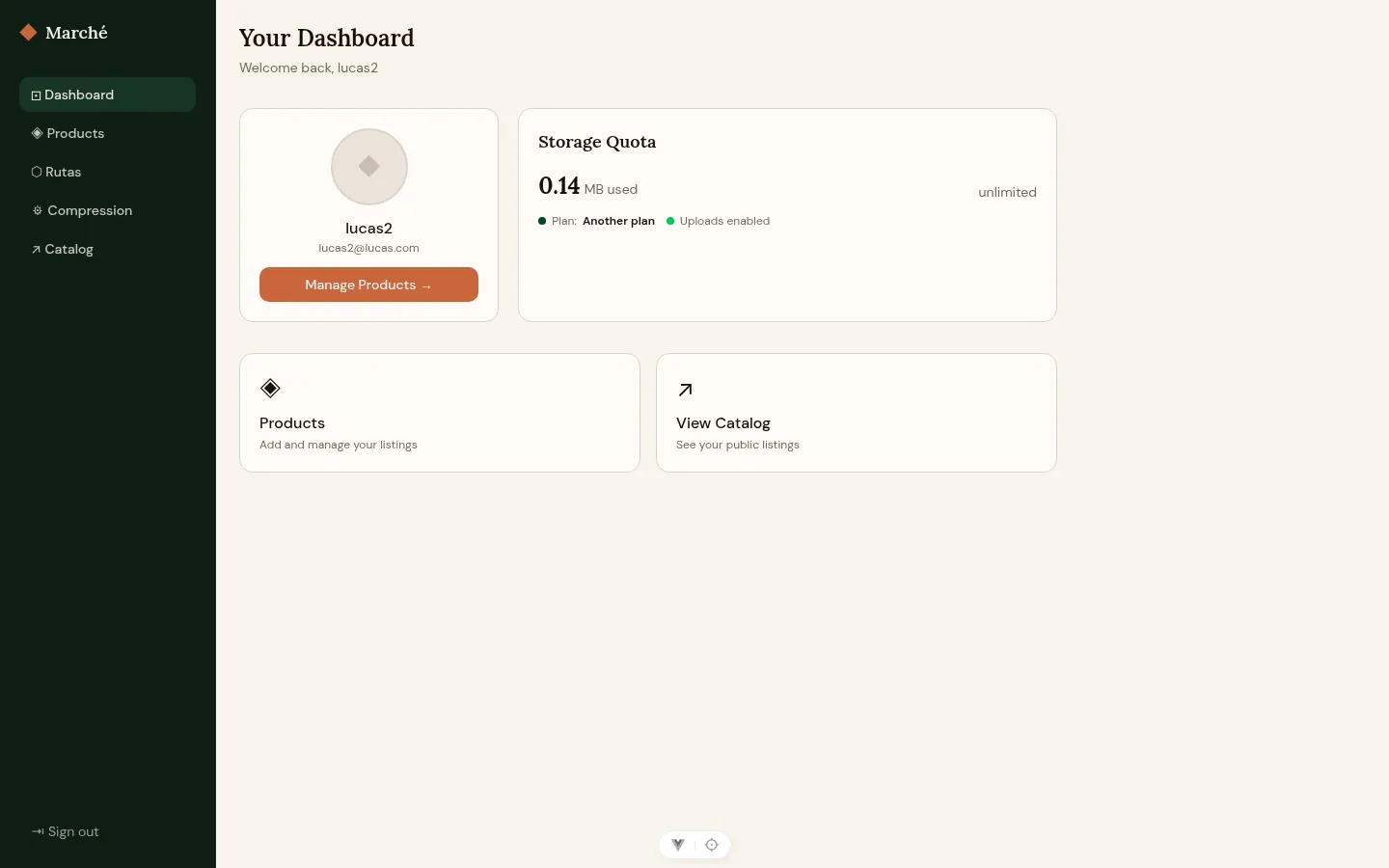
The demo Master dashboard after signing in as lucas2@lucas.com:
The Master’s Rutas view — manage each space’s permissions and per-space storage, and filter files by Ruta:
Signing into a Ruta confirms isolation — the space view lists only that Ruta’s files:
Step 13 — Confirm the live API reference
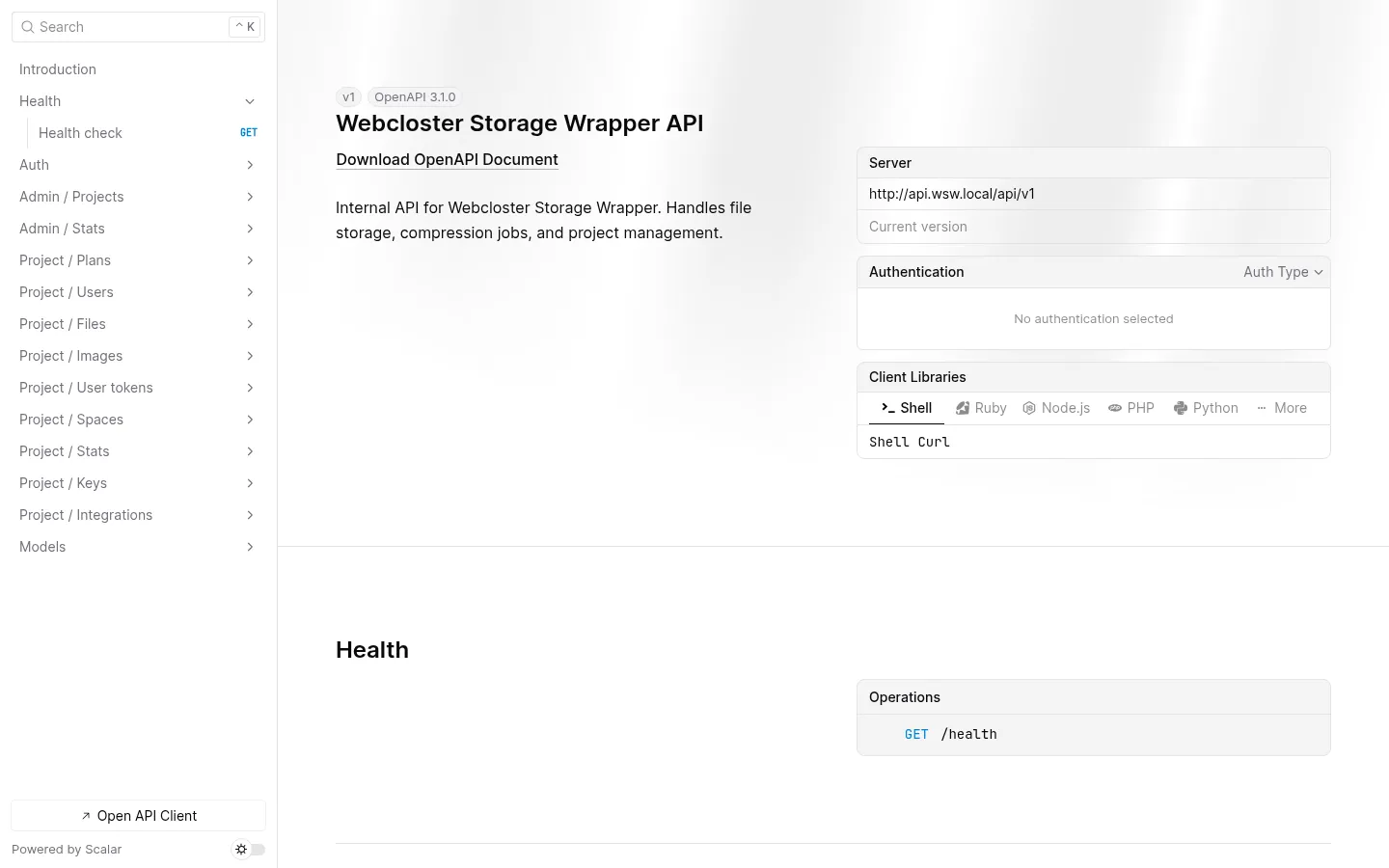
Section titled “Step 13 — Confirm the live API reference”Open http://api.wsw.local/api/v1/docs for the Scalar UI over the live OpenAPI
spec. See the API reference.
Optional — Mail capture (Mailpit)
Section titled “Optional — Mail capture (Mailpit)”For password-reset flows in dev, set the API’s SMTP_HOST=mailtip, SMTP_PORT=1025
and read captured mail at http://mailpit.wsw.local (UI auth admin:password).
Troubleshooting
Section titled “Troubleshooting”- Demo returns 401 on
/project/*— theDEMO_INTEGRATION_API_KEY↔ demo-apiINTEGRATION_API_KEYalignment is broken (Step 3). Re-align and re-runseed:demo. 403 Missing required scope— the integration or token lacks a scope. Underenforce, declare it on the integration. See the integration guide.- Cross-site cookie dropped (401 in the demo) — call the API on the same site as
the page (
demo.wsw.local↔demo-api.wsw.local), notlocalhost. proxy-networknot found — create it first (Step 1).